

Have you ever owned something for years before one day you suddenly discovered a super useful function you never knew it had? That’s essentially what happened to me with Cash App. Despite downloading the app long ago, I apparently didn’t keep up with its growing power and ability to save me money — that was until a few years ago.
So what is the Cash Card and what makes it special? Let’s take a look at what you should know.
What is Cash App?

Cash App
Cash App (formerly known as Square Cash) is mostly known for being a P2P money app akin to PayPal, Venmo, or Apple Pay Cash. When you download Cash App and sign-up for the service, you can link a bank account in order to fund your account. You can also choose to add money to your account using a credit card, but there is a 3% fee for this option. With that out of the way, you can quickly and easily send money to friends using the app.
Navigating the App
When you open Cash App, you’ll notice a simple interface, which now houses a few different tabs. In the middle is the $ tab, allowing you to enter a dollar amount and elect to either request that amount of money from one of your contacts or send it to them.
Next, to the left of $ is what I’ll call the banking section, since the icon kind of looks like a bank to me. Anyway, this is where you can not only manage your Cash Card but can also access other accounts offered by Cash App, such as crypto, stocks, and savings. When you first land on this tab, you’ll notice that your balance info mostly covers your card. Just tap the card behind this info to pull up more features. But, if you want to add to your Cash Card balance or make a withdrawal, you can do that from the main tab (without tapping the card).
By the way, sending money back to your linked account is free, but has a one to three business day delay. An instant transfer option is also available, although it will cost you a variable fee (0.5% to 1.75%), with a 25¢ minimum.
Lastly, on the right side, is the transaction tab (which features a clock icon). This is where you can see transaction activity across all of your account types — from stock dividends to purchases to Square loyalty program stars earned.
Cash App Investing
Although the main function of Cash App may not sound like anything special, the app has since added some other features worth talking about. For one, the app introduced the ability for users to buy and sell Bitcoin a few years back.
Using the app, you can select how much Bitcoin you’d like to buy in USD and view your current balance, which will fluctuate based on the current $BTC pricing. Notably, you can also set up a wallet to withdraw and import your Bitcoin, although you will need to scan your photo ID before this option will be available to you.
I should note that, while other apps like Robinhood have been expanding their crypto rosters, don’t expect the same from Cash App. CEO Jack Dorsey has been outspoken about his support for Bitcoin and only Bitcoin, directly telling fans he doesn’t intend to add other assets to the app.
In addition to crypto, Cash App also now allows customers to purchase stocks and ETFs. Moreover, users are able to purchase fractional shares, meaning that they can choose how much money to invest in a company instead of needing to buy a full share. At this time, not every company or ETF is available to trade on the Cash App, but most major companies are.
Of course, the other feature that makes Cash App unique — and the reason I felt the app was deserving of a review — is its Cash Card.
Cash Card
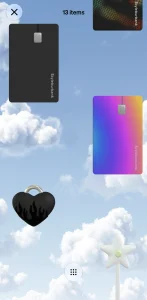
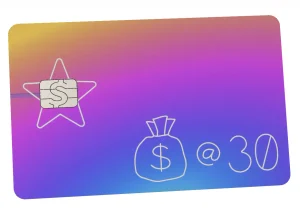
In an effort to stand out from the pack, Square started rolling out their Cash Card — a physical Visa debit card that allows users to make purchases using their Cash App funds. Adding to the offering’s appeal, these cards feature a sleek all-black (or now all-white if you so choose) design on the front, security chip, Visa Debit logo, and a laser-printed design.
Yes, Cash App actually prints the design you draw onto the card. But, before you get any wise ideas, they do say they review the “signatures” and designs before they go to print.
These days, Cash Card has several specialty card options, including a mood ring-inspired design, a chameleon metal card, a glitter card, and more. The prices on these non-standard options range from $5 to $50. However, something new to me is that Cash has expanded beyond cards and now has tappable accessories as well! For $30, you can purchase a mini wand, heart necklace, or keychain card (almost like a little Tile tracker) that can actually be used to pay at NFC-enabled payment terminals. To be honest, while $30 is steep, these are actually pretty fun.
As promised, these cards can be used anywhere Visa is accepted. You can also add your card to Apple Pay and utilize it that way as well. Finally, there’s another neat feature of the Cash Card we’ll cover in the next section.
Is Cash App a Scam?

Before we dive more into the Cash Card, I wanted to address something that has been brought up in comments on the YouTube video review I did of Square. A few adamant commenters have alleged that the Cash App is a scam that’s caused them to lose money. Although I can’t speak to their experience (or know for sure if these are even legitimate comments), I have to refute this notion.
First of all, Block (formerly named Square Inc) is a publicly-traded company with a strong reputation in the FinTech space and its products are utilized by small businesses across the country. Therefore I’d find it hard to believe they’d sacrifice that by creating an app to scam everyday users out of their cash. Plus, for the record, I haven’t encountered any issues with the app in the several years that I’ve been a user.
With all of that said, there are precautions you should take when using this or any personal finance app. For one, when sending money via Cash App, make sure you trust the person you’re sending money to. Personally, I suspect some of the people calling the app itself a scam have merely fallen victim to shady folks. Additionally be sure to protect your Cash App account as you would any bank account by utilizing strong passwords and other security features.
Last but not least, if you don’t feel comfortable using a peer to peer payments app or other finance tools where linking a bank account is necessary, it’s ok to skip them. While Cash App and other FinTech ventures are far from “scams,” they may be susceptible to the same breaches that many retailers, banks, and others are. Luckily (to my knowledge) no such troubles have plagued Cash App but it’s always a good idea to be vigilant in order to protect yourself.
Green Status
If you’ve been keeping up with trends in neobanking at all, you’ve probably seen that several apps are incentivizing customers to participate in activities that make the companies money. To do this, they create tiered products and give customers a way to earn “status.” Well, Cash App has now jumped on this bandwagon, introducing Green Status.
To unlock Green Status, you’ll need to spend $500 a month on your card. If you do that, you’ll have access to extra offers, earn a higher APY on savings, and more. Here’s a breakdown of what comes with a basic Cash App account versus Green Status:
| Benefits | Regular | Green |
| Custom weekly offers | 2 | 5 |
| Higher borrowing limit? | No | Yes |
| Free overdrafts | $0 | $200 |
| Savings interest | 1.5% | 3.25% |
| In-network ATM fees | $2.50+ | $0 |
| Priority support? | No | Yes |
Personally, considering the opportunity cost that comes with spending $500 on a non-rewards debit card versus using a cashback credit card, I don’t think striving for Green Status is worth it.
Using the Cash Card
Now I’ll admit that, while I’ve found Cash App to be convenient for sending money to friends and that it has become my preferred method for doing so, I hardly felt the need to obtain a Cash Card. After all, why wouldn’t I just transfer my balance back to my account and spend it like I normally would? Sure, the card’s cool design did give me some pause in writing the idea off entirely, but I eventually forgot about it and went on with my life.
That was until I learned about the Boost function the Cash Card offered. As it turns out, this feature allows you to save money at select restaurants, retailers, or — in some cases — anywhere else. Needless to say, this piece of information changed everything.
Soon after learning of the what was then called the Boosts feature, I requested my Cash Card through the app. To do so, all I needed was to offer up my address and provide my signature for the aforementioned style element. Within a few days’ time, my card had arrived and was ready to activate.
Activation
Anyone who’s ever received a new credit or debit card is surely familiar with the automated voice systems often employed in the activation process. This is where the Cash Card is very different; instead of placing a call to one of those 800 numbers, you’ll simply open up the Cash App and scan the QR code on the envelope your card came in to activate it.
Custom Offers
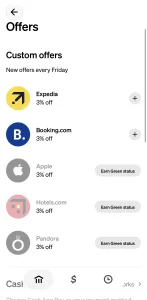
Back in the day, Boosts was a stellar feature of the Cash Card that allowed me to save a ton of money. Alas, over the years, they’ve undergone a number of revamps — and never for the better. Now, the Boosts name itself has been retired and, instead, you’ll find Custom Offers. These can be accessed by the “Explore Offers” button under the Card section of the app.
This is also where that Green Status nonsense comes in. By default, you’ll only have two Custom Offers (which update every Friday). For example, I currently have one for 3% of at Hotels.com and 3%at Shein. Cash App is also smart enough to tease you with which offers they’re holding back, so I can see that I could earn 3% back on Apple, 3% on Expedia, and 3% on Temu if I earned Green Status. One thing they don’t allow me to see are the terms and conditions for those offers, so I can’t say whether that truly means 3% back on anything from Apple or if it excludes the stuff you’d actually want to buy.
For the Custom Offers you have unlocked, you can tap the offer to get the details and then hit Add Offer. From there, just make a qualifying purchase with your card and your cashback is applied instantly. In fact, the discount is typically applied before the balance is even removed from your account.
Further down the page, you may also see “More offers.” As of this writing (August 2026), the only additional offer I have is 20% off the Premier Lacrosse League. This offer works the same as the Custom Offers – add it to my card and redeem by paying with said card.
All in all, I can’t tell you how disappointing these Offers are. First, limiting basic members to just two options is sad. On top of that, though, the locked offers aren’t even that much better! They also seem redundant — I need both Hotels.com and Expedia? Or Temu and Shein (sidenote: I’d never shop at either)? The good news is that these are supposed to update weekly… but I wouldn’t hold my breath for anything too amazing.
With that rant over, I will say that there are still some other offers to be found. But, these are actually for Cash App Pay. Luckily, these can be a little bit more interesting, such as 10% off Lyft ($10 max discount), 20% off Uber ($10 max discount), 10% off Instacart ($20 max discount), etc. To use these specific offers, you’ll need to add them to your card and make sure to select Cash App Pay at checkout.
I haven’t yet had a chance to try Cash App Pay offers, so I can’t speak to exactly how they work or how often they refresh. That said, now that I see the Instacart one, I might have to take advantage of that for an Aldi pickup order before it expires. Overall, these deals still aren’t great, but they are at least better than what I’ve seen from Custom Offers lately.
Final Thoughts on Cash App and Cash Card

At the end of day, apps like PayPal, Venmo, and Cash App all have similar functions even if they each have their own perks and quirks. Yet, Cash App‘s Cash Card really stood out in my eyes — especially with its previous Boost feature.
Sadly, the deals I got via Boosts are now long gone. Moreover, unless you unlock Green Status by spending a ridiculous $500 per month on the card, you’ll be limited to just two Custom Offers per week. At least the Cash App Pay offers are okay for now, albeit a bit generic.
The silver lining is that, even if Cash App’s cashback prospects have gone down over the years, the platform does continue to show promise in other ways. For example, while it may be silly to pay $30 for an NFC necklace, I do think that the Cash tags are creative and fun. Also, Cash App is still known to throw you a bonus bone once in a while, such as deals where you can buy any amount of Bitcoin and get $10 of it for free.
With all that considered, even if having a Cash Card is no longer a must, Cash App remains my favorite of the big P2P apps. And, who knows, maybe they’ll bring back better Boosts in the future.