

We’ve all heard it said that the key to building wealth is investing. Unfortunately, especially among those of a younger generation, getting started with investing can seem intimidating, preventing many from even trying. That’s why the mobile app Acorns has found incredible success as it not only makes investing easy but also painless and automatic.
So how does it work? Let’s take a closer look at Acorns, how it lets you invest your digital spare change, and more.
What is the Acorns App?
Round Ups
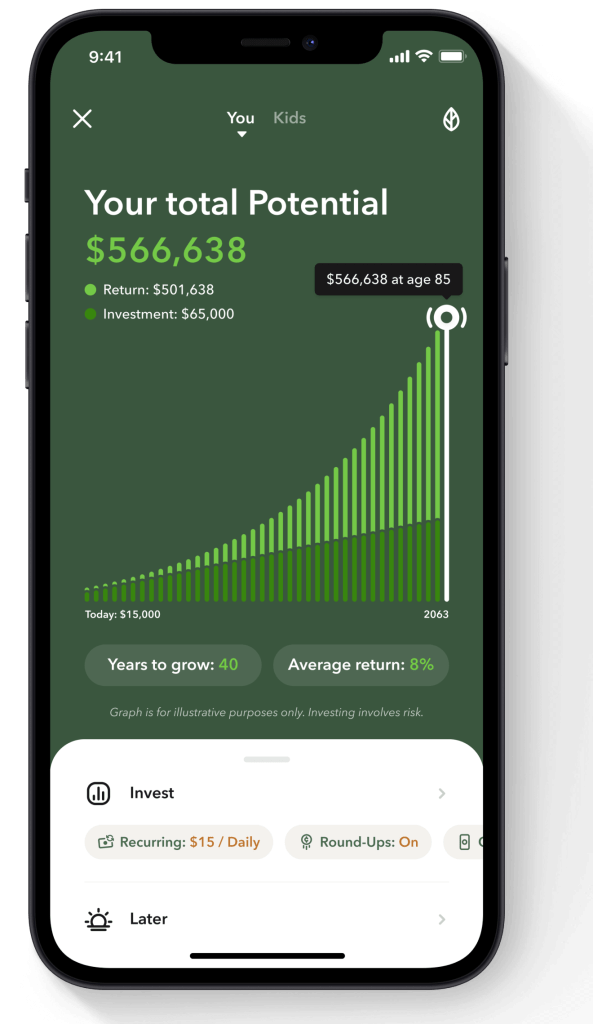
Acorn’s main functionality is depositing what they call “Round Ups” into various investment portfolios. Round Ups are calculated by linking debit or credit cards and either automatically or manually selecting which transactions should be rounded up to the nearest dollar. For example, if you spent $3.74 on a cup of coffee, Acorns would add $0.26 to your account, which would then be automatically invested once you reach at least $5.
There are a few other options you have when it comes to Round Ups. For one, if you don’t want transfers to be automatic, you can toggle this off and add them manually instead. Meanwhile, if you want to accelerate your savings/investing, you can add multipliers to your Round Ups. With this option, you can 2x, 3x, or even 10x your contributions. So, in the case of that $3.74 cup of coffee, your $0.26 Round Up could become $0.52, $0.78, or $2.60 instead.
Lastly, while Whole Dollar Round Ups (meaning transactions that end in 00) will result in a $1 contribution by default, you can adjust this to be lower if you want. In fact, you can set this to any number between $0.01 and $1.
Making Additional Deposits
In addition to Round Ups, Acorns also allows you to add extra funds whenever you want or even schedule additional deposits consistently. For recurring deposits, customers can choose a day of the week or date of the month to make a transfer. Of course, you’ll also be able to choose how much money you want to transfer each time.
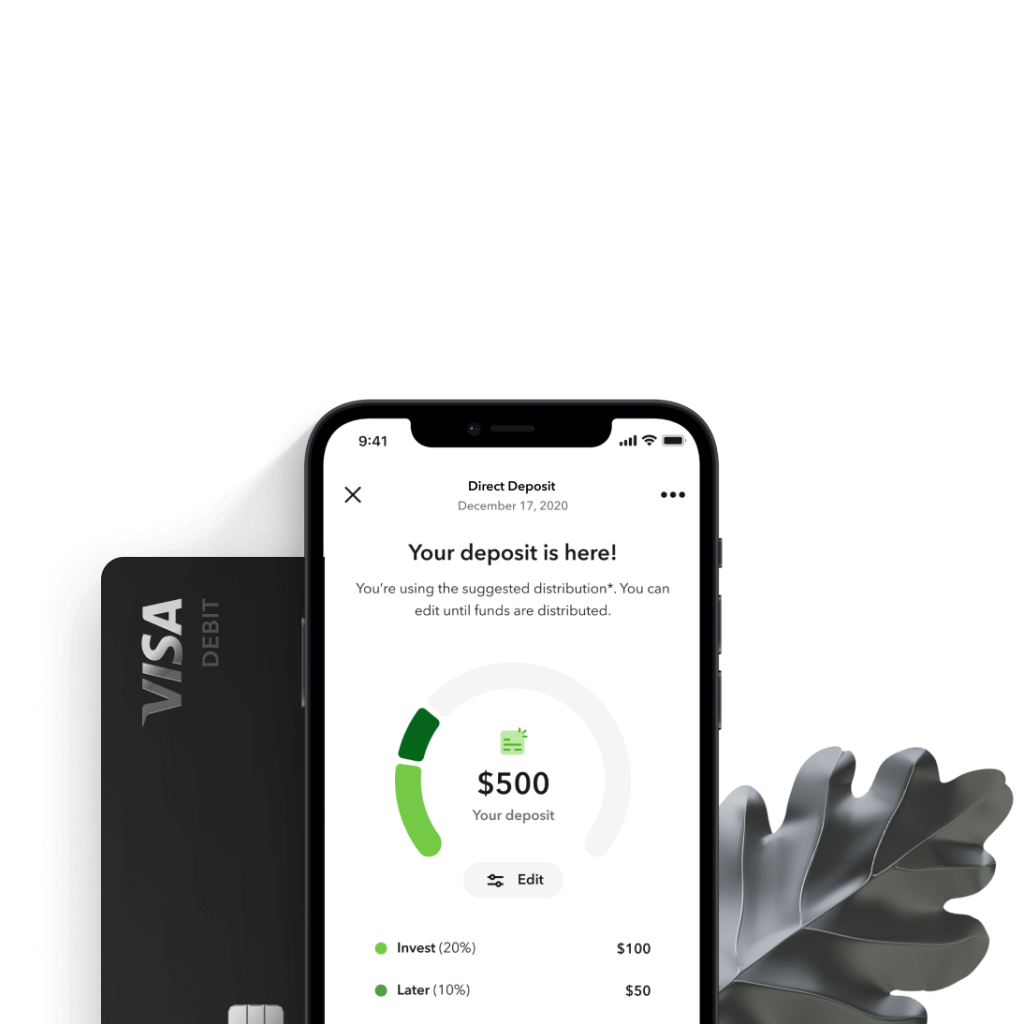
Additionally, if you have an Acorns Checking account, you can elect to automatically set a portion of your direct deposit paycheck aside to be invested.
Investment Portfolio Options
While you can’t choose exactly what stocks you’re investing in (at least not on the base plan), you can choose various settings to create a portfolio. This starts by choosing a risk tolerance, ranging from conservative to aggressive. As you move through these options, you’ll notice that the mix of bonds and stocks will shift, starting at 100% bonds and 0% stocks for Conservative to 0% bonds and 100% stocks for Aggressive.
You can also see the breakdown of the categories your money will be invested in. These may include:
- Large company stocks
- Medium company stock
- Small company stocks
- International company stocks
- Ultra-short-term corporate bonds
- Ultra-short-term government bonds
- Short-term government bonds
- Short-term USD bonds
- US aggregate bonds
More specifically, each of these categories corresponds to a fund, such as the Vanguard S&P 500 ETF (VOO) for large company stocks, the iShares Core S&P Small-Cap ETF (IJR) for small company stocks, among others. You can tap on each of these funds to view additional details on each and can view prospectus information for each on Acorns’ site.
Beyond those Core portfolios, users now also have some other options. One option is to move to an ESG portfolio. ESG stands for Environmental, Social, and Governance and are meant to align with those values. When you move to an ESG portfolio, you’ll see a different mix of ETFs you can review.
Another new option is the ability to add exposure to Bitcoin by adding Bitcoin ETF to your portfolio. This can be done with either a Core or ESG portfolio. Even after you add this option, it can still be removed if you so choose.
As I alluded to, Acorns now also gives users a way to add their own custom stocks and/or ETFs to invest in. However, this feature is currently only available for those with Acorns Gold.
“Earning”
Acorns also offers a feature called “Earning” (formerly known as Found Money). Akin to other cashback sites and apps like Rakuten, Eans allows users to shop offers from various retailers and have a portion of their purchases added to their Acorns balance. For example, Acorns users can currently earn 2% back from Chewy, up to 3% on Sephora purchases, “up to 1.68% back” on Sam’s Club online orders, and more. These Earning offers can be an easy way to grow your investment balance, although I’ve found it best to compare these offers to Rakuten and others, as it’s hard to know for sure which platform will have the best deal.
Acorns Subscription Plans and Pricing
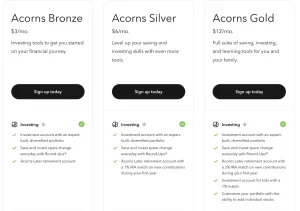
Over the past few years, Acorns has expanded its offering to include retirement accounts, a debit card, and even a child-centric account. In turn, the app has bundled these services into three service plans: Bronze, Silver, and Gold. Here’s a quick look at each plan and price point.
Bronze
The Bronze plan offers a well-rounded collection of features to help customers get the most out of Acorns. First, Bronze customers will have the core product Acorns Invest, including round-ups, Earning offers, and more. Then, in addition to your Invest account, you’ll also have access to Acorns Later — the app’s IRA account option. According to the Acorns Later FAQ, “We’ll automatically select the right type of IRA for your lifestyle and goals, each offering distinct tax advantages and eligibility.”
On top of your Invest and Later accounts, Acorns Bronze also includes a Banking account. This debit card product enables Real-Time Round-Ups in addition to its more typical digital banking features. For what it’s worth, the card is also metal, giving it a unique look and feel.
Currently, the Bronze plan costs $3 per month.
Silver
The Silver plan takes the features of Bronze but adds some other tools and perks. For one, with Silver, Acorns Later accountholders can earn a 1% IRA match on new contributions. Meanwhile, Banking gets an upgrade to Mighty Oak Banking with a limited edition, tungsten metal Mighty Oak Visa debit card, the ability to earn 2.57% APY on Checking, and up to 4.05% APY on Emergency Funds.
Silver plans currently cost $6 a month.
Gold
If you want your Acorns account to benefit the whole family, then the Gold plan may be right for you. That’s because this plan includes Acorns Early banking for kids (formerly GoHenry). This account enables parents to give their kids a chores tracker with automated allowance and even give them their own, customized debit card. Plus, parental controls and real-time spending notifications help parents stay on top of their child’s finances. FYI, Acorns Early is also now available on its own at a cost of $5 a month for one child or $10 a month for two to four children.
In terms of other perks, Gold’s IRA match is 3% on new contributions. Additionally, eligible customers can receive a $10,000 life insurance policy and a no-cost will. And, sticking with the family theme, Gold includes an Investment account for kids. As mentioned, Investors also have greater control over their portfolio with the ability to add individual stocks.
Acorns’ Gold plan currently costs $12 a month.
What Happened to Lite?
Previously, Acorns offered what they called the Lite plan. This featured the Acorns Invest account and little else. However, in summer 2021, Acorns discontinued this option. Thus, the minimum fee for the app jumped from $1 (which is what Lite previously cost) to $3 (which is what Bronze costs). While this change is definitely disappointing for some, the Bronze plan had already been more popular and does have a better mix of features. Still, those who wanted just the core functionality of “Acorns Classic” are now out of luck.
My Experience with Acorns
Acorns’ Round Up feature is insanely clever and works well for “set it and forget it” saving. Incidentally, the brilliance is confirmed by the fact that several other apps have now borrowed the concept and implemented it in different ways. In any case, the functionality has allowed me to amass a fair amount without even truly realizing it.
One of the things I like most about Acorns is the amount of data available to you at any given moment. This includes an actual breakdown of how much of your money has gone towards each one of their investment categories and how many shares you own in each. Speaking of shares, it’s also nice when your Acorns investments pay dividends, which are then automatically added to your balance.
The one downside of Acorns is that the service is not free. Instead, as mentioned above, their service plans start at $3 a month. It used to be that this fee was deducted from your investment balance but the app has since changed this policy and now pulls its monthly fee straight from your bank account. On the one hand, this switch means you aren’t robbing your funds (and thus your investment growth potential) but, on the other hand, it does make it more difficult to assess whether you’re actually increasing your earnings with Acorns or squandering your returns on fees.
Finally, it must be noted that, should you need to pull your money from Acorns for any reason, the app does make it easy to withdraw and have the money transferred back to your bank account. Personally, I’ve tested this functionality and saw the funds transferred within a few business days. This not only gives me peace of mind about trusting my money to Acorns but is also helpful to know in case you choose to move your funds to a potentially more lucrative long-term option such as an IRA.
Final Thoughts on Acorns

I’ve been impressed with the premise of Acorns for some time and I’ve been equally as impressed with the platform overall. Like many FinTech companies, Acorns helps break down some of the barriers that prevent average consumers from doing smart things with their money, such as investing. By making it easy for anyone to start saving and investing their spare change, Acorns makes something big out of something so small (hence the name).
The only real downside is the price, which can eat into your earnings — especially if you aren’t setting much aside. Plus, with the app discontinuing the Lite option, it’s worth running the math on the Bronze, Silver, and Gold plans ($3 a month, $6 a month, and $12 a month, respectively) to see if they make sense for you. If they do, I’d still recommend that users make the most of their monthly fee, selecting as many transactions as they can for Round Ups and depositing additional funds when possible.
On the bright side, though, Acorns does continue to reinvest in its product and make updates. This can be seen in the ability to select an ESG portfolio, add Bitcoin ETF, and select custom stocks with Gold. The app experience with Acorns also remains top-notch IMHO.
Ultimately, as your balance and investment knowledge grows, users may even consider taking their money to other investment apps such as SoFi Invest and Robinhood that offer a more hands-on investing experience. Additionally, you may find that online savings accounts or traditional retirement accounts may be better long-term homes for your money.
With all that said, if you’re looking for an easy and unintimidating way to start learning about investing, Acorns could certainly be the right option for you.